
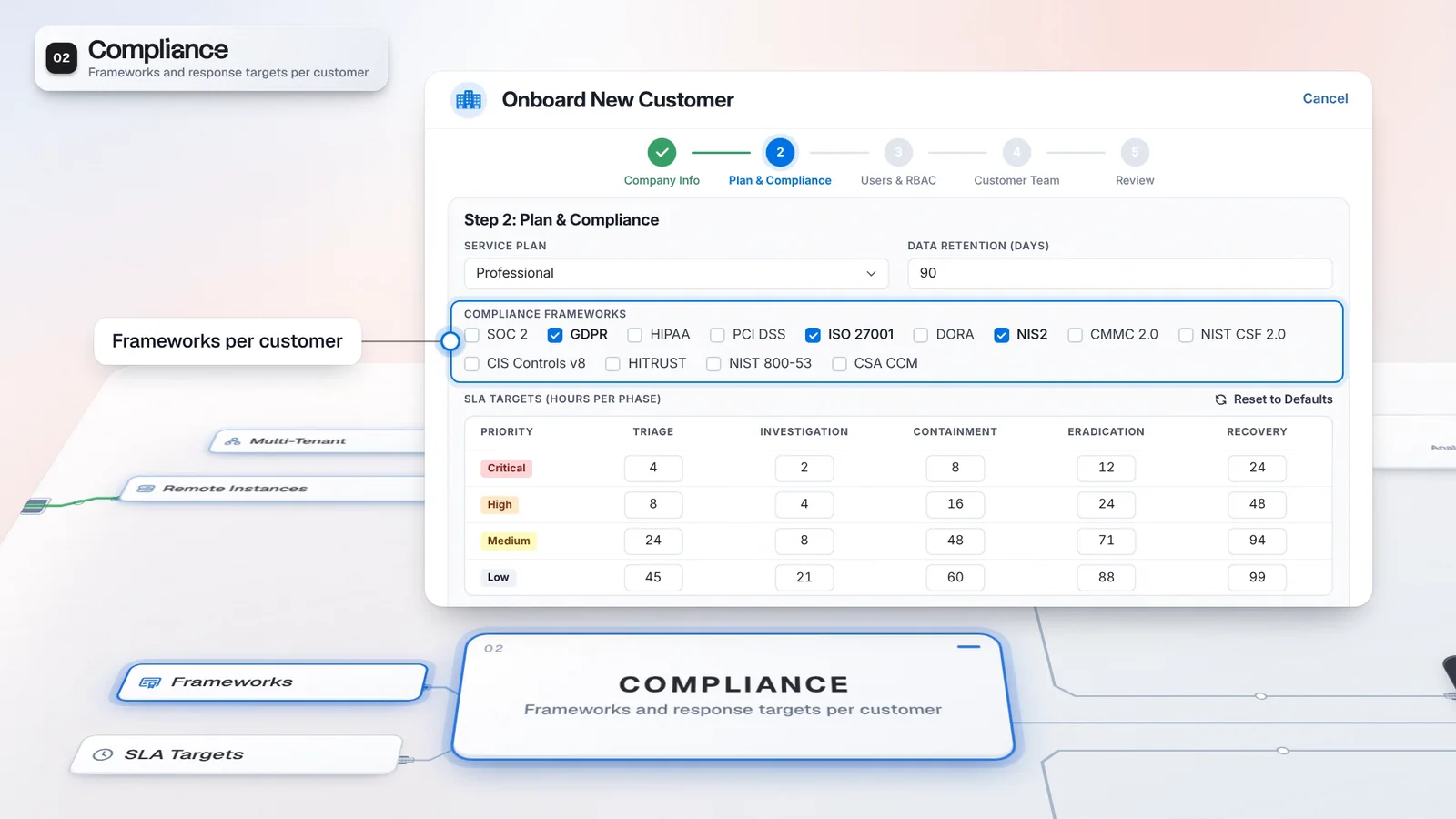
 Start with onboarding


One operational environment
Bring the AI investigation layer together with playbooks and endpoint operations.
SecOps Platform includes the full Autonomous SOC and adds the operational modules, from playbooks to endpoint forensics. Multi-tenant operations belong to the same tier, so your provider team can manage customer work alongside the tools it uses to investigate and respond.
SecOps Platform contains this full tier. Module grants and permissions still apply.
These products are outside the platform tier defaults. Confirm each required grant in your issued license.
Operational modules and customer context in one workspace.
Autonomous SOC brings native agents, Virtus Triage and Virtus Pilot, plus Agent Studio, prioritization, routing, Cerebrum and Magister.
SecOps Platform adds Automatio, Detection Lake, endpoint operations, Multi-Tenant, Defensum and Cognitio.
Virtus Optimus, Virtus Sentinel and Scriptorium are licensed on their own, outside the tier defaults.
Work in the customer context with the operational surfaces available under the issued license and user permissions.
Use the AI layer and the operational modules together. Your provider team can bring detections into cases, run configured playbooks and inspect endpoint evidence in the same working environment.
SecOps Platform adds Automatio, Detection Lake, endpoint operations, Multi-Tenant, Defensum and Cognitio to the Autonomous SOC tier. Casebook holds the investigation, and a playbook run started from a case keeps its execution history there. Endpoint forensics supplies evidence for the analyst to review and record in case notes. The modules your license grants and the user's permissions determine access to these surfaces, with connected services supplying the actions they can perform. Standalone products remain separate license decisions for the service.
Your service can carry an investigation into response without rebuilding the case context for the next analyst.
Standalone products are licensed separately. Module grants and permissions still apply.
Bring the AI investigation layer together with playbooks and endpoint operations.
Use multi-tenant operations alongside the licensed SOC modules.
Configure the services and permissions each workflow needs before bringing customer work into it.
Review the SecOps Platform modules granted by the issued license.
Connect the customer sources and supported actions the service will use.
Keep investigation notes and ownership together, and run a selected playbook with the case context.
Inspect collected evidence in Forensics and record relevant findings in the case notes.
Approval depends on the action, playbook and applicable policies. Endpoint collection and indexing must be configured.
The AI tier supplies investigation capabilities. SecOps Platform extends it with operational modules; The Portal serves providers keeping their own SIEM, EDR and SOAR.
The AI tier: included in full within SecOps Platform.
This edition: the full estate for provider operations.
The provider edition for your own stack.
An operational estate supports the service you deliver around it. Cases keep the investigation record while playbooks and endpoint tools give the analyst ways to act and check the result.
Review the case notes and linked playbook history during handoff.
Use Automatio for work that should follow the playbook you define.
Manage the customer hierarchy in the tier that includes the operational modules.
Choose a customer case that needs both evidence review and a response.
Review permissions, connected actions and approval behavior.
Confirm provider operations and the modules required for that workflow.
The license model groups AI agents, Agent Studio, case prioritization and routing, Cerebrum and Magister under Autonomous SOC. SecOps Platform extends that group with playbooks, detections, endpoint operations, multi-tenant operations, Defensum and Cognitio. Your issued license determines enabled modules; confirm the commercial package in your proposal.
AI agents belong to the Autonomous SOC and SecOps Platform product defaults; they are not part of The Portal’s default module set. If you want AI triage alongside provider operations, discuss a license that covers both capabilities, then configure the relevant integrations and triage rules. The enabled modules on your license determine access.
AI agents belong to the Autonomous SOC and SecOps Platform defaults. They are outside The Portal's default module set. For AI triage alongside provider operations, discuss a license covering both capabilities, then configure the integrations and triage rules. Enabled modules on the issued license determine access.
Have any other questions? Talk to our team
Walk through a customer investigation with the AI and operational modules your service needs.