



Define the connector
Specify authentication, actions and entities. Add ingestion and normalization where needed, then review and deploy the package.
Give your own systems a reusable connection to SOC workflows.
Imperum’s connectors bring external data and actions into your SOC workflows. Find your tools in the Marketplace, configure their access, and use their capabilities in investigations, playbooks and agents.

Inspect the connector’s listed actions before configuring it. Action categories describe operations; they are not approval or risk levels.
Inventory figures describe the bundled catalogue, not active connections. Available actions depend on the connector, configuration, vendor access and the workflow using them.
Search the catalogue by product name or connector ID. An entry represents a connector; its actions are the individual operations it lists, such as searching detections or reading endpoint details.
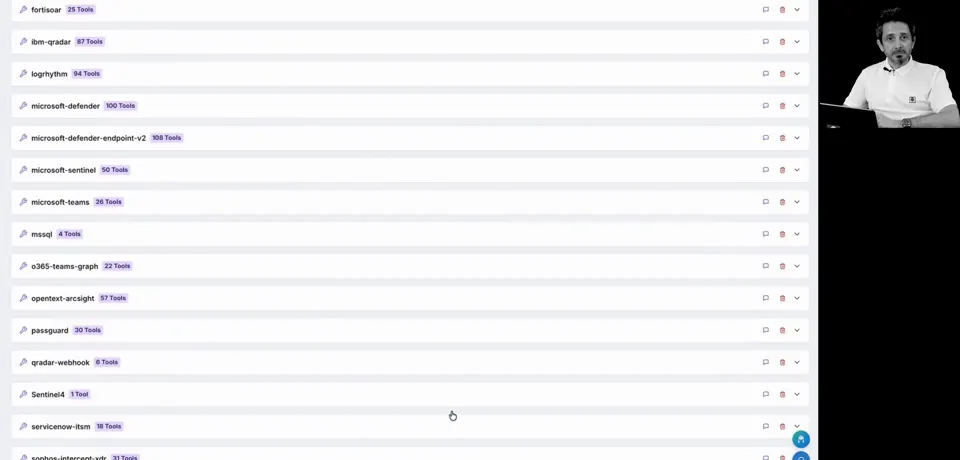
CrowdStrike Falcon Endpoint SecurityEndpoint / EDR302 actions Palo Alto PAN-OSFirewall204 actions
 WazuhSIEM149 actions
 LogRhythm SIEMSIEM97 actions
 SentinelOne SingularityEndpoint / EDR90 actions
 IBM QRadar SIEMSIEM88 actions
 Google Cloud ComputeCloud83 actions
 TeamT5 ThreatVisionThreat intelligence71 actions
Catalogue snapshot: 8 October 2026. Product names and marks belong to their owners; their inclusion does not imply endorsement or partnership.
A catalogue entry is the starting point. Configure the connector for your environment, then use the data and operations it supports.
Select the connector in Marketplace and choose its deployment context. In multi-tenant environments, profiles keep each tenant’s endpoint and credentials separate.
Supply the required endpoint and credentials, stored encrypted in the Vault. Test the connection and review the reported result: reaching an endpoint does not by itself confirm authentication.
For connectors with ingestion support, configure polling or the relevant webhook path and field mapping. Normalized events give your team a consistent basis for search and investigation.
Automatio playbooks can call connector actions, and agents can use the connector tools enabled for them. Credentials, tenant access and the calling workflow’s permissions and approval rules determine what can run.
When you need an internal API or a different set of operations, Developer Studio lets you author a connector and bring it into the same Marketplace workflow.
Developer Studio authoring in the Marketplace UI requires SecOps Platform and the relevant permissions. Authoring and deployment remain subject to product access and permissions. Specification imports have a size limit, 16 MB by default. Generated connectors still need configuration and testing.
A connector describes an integration with a system. Its actions are individual operations, such as searching for detections or reading a host record. The catalogue counts entries and their listed actions separately.
No. Ingestion depends on the connector’s capabilities and configuration. Some support polling or webhook input; others supply actions used for enrichment or response. Review the connector before deployment.
Yes. In multi-tenant environments, connector profiles hold tenant-specific endpoints and credentials. Named instance profiles also support separate deployments of the same connector within a tenant.
No. Approval depends on the action, the agent or playbook calling it, and the configured policy. Catalogue categories such as “read” or “execute” are not a universal approval rule. Review the execution controls when enabling actions.
Developer Studio supports custom connectors and API specification import, subject to product access and permissions. Share the tool and API requirements with our team to discuss the appropriate integration approach.
Have another question?
Talk to our team
Share the systems your SOC runs. We’ll explore the relevant connectors, the actions they expose and how to connect what is unique to your environment.