
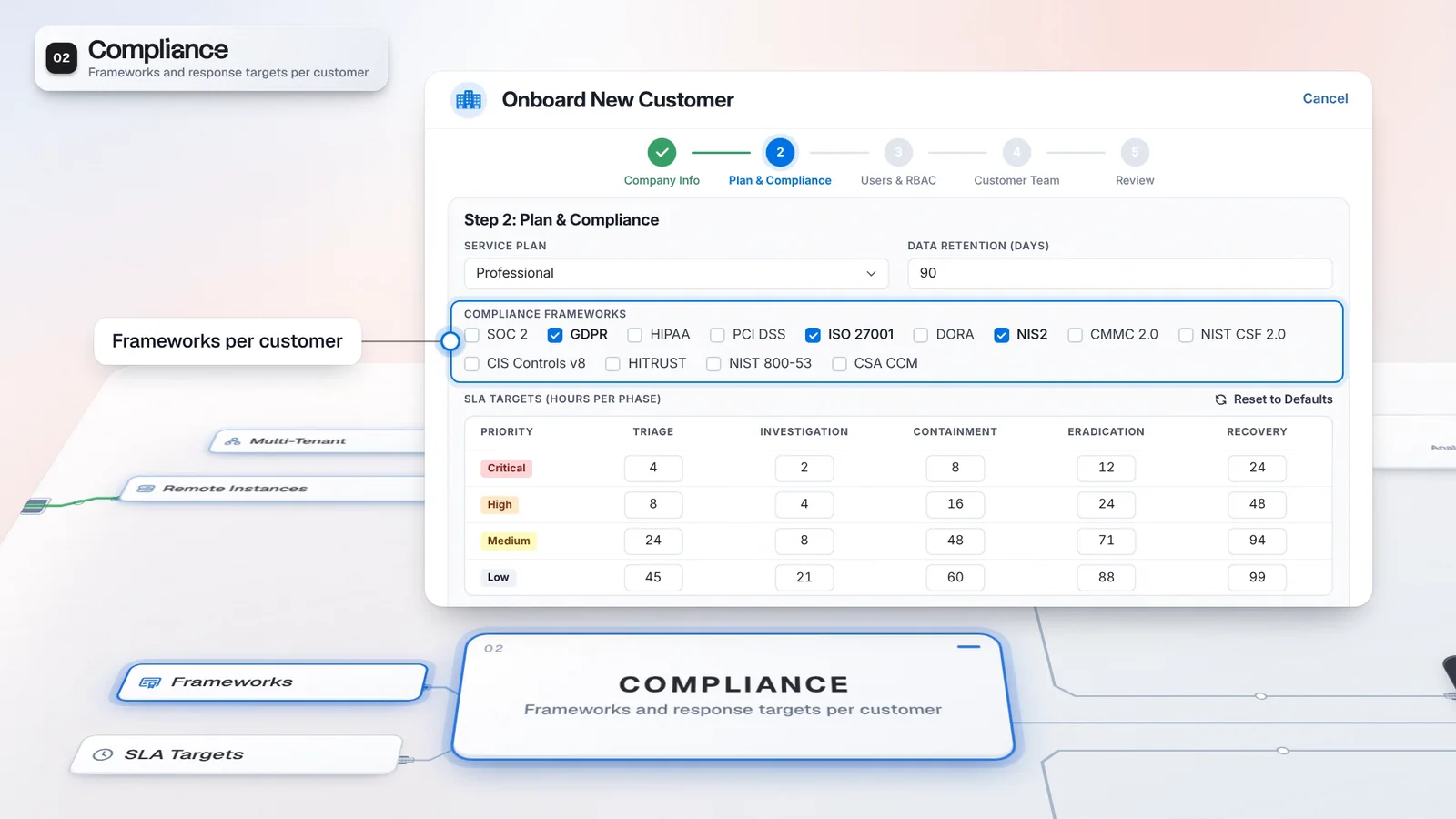
 Start with onboarding


Credentials match the customer
Tenant Profiles separate the endpoint and credentials for the same connected tool.
Tenant context scopes supported views, API operations and connector credentials, for analysts and agents alike. Each customer's credentials sit encrypted in the Vault behind its own profile, so you can show a customer how its access is scoped.

The customer scope shown is an example assignment.
 Microsoft SentinelNorthstar endpoint and credentials
Different customers can configure separate credentials for the same tool.
The customer scope shown is an example assignment.
Microsoft SentinelThe selected context is Northstar. Visibility follows authorized customer scope.
Microsoft SentinelTenant Profiles determines the connection used for the customer’s workflow.
Microsoft SentinelCredentials are never handed to an agent directly.
Own data, credentials and AI resources. Appropriate AI modules required.
Own data, credentials and AI resources. Appropriate AI modules required.
M. Kaya’s example assignment covers Northstar and Juniper.
Selecting Northstar brings its Alerts into the working context.
Northstar’s Microsoft Sentinel connection uses its tenant profile; credentials stay encrypted in the Vault.
Each tenant keeps its own data, credentials and AI resources. Agents operate within their authorized scope.
Serving several customers does not mean giving every operator the same access. Tenant context and permissions work together, with separate connection profiles for the tools each customer authorizes you to use.
A connector can have a Tenant Profile for each customer, with its own endpoint and encrypted credentials. Supported views and API operations use tenant context, while permissions govern what a user or agent can reach. Authorized administrators may manage credentials across their permitted tenant scope. Review those grants alongside the profiles when agreeing a customer’s data boundary and deployment arrangement.
One connector serves every customer, each with its own credentials.
M. KayaIllustrative customer and configuration. Not customer performance data.
Tenant Profiles separate the endpoint and credentials for the same connected tool.
Users and agents reach the tenants, modules and actions their permissions allow.
Check the operator’s role, the selected tenant and the customer’s connection profile together. These controls determine access; a tenant label by itself is not the full architecture review.
Review Roles, Users and Permissions for the people serving the customer.
Select the customer in the header and inspect work within the operator’s permitted scope.
Configure the customer’s endpoint and credentials on its supported connector.
Use the relevant permissions to manage stored connection secrets.
Review model providers and routes for the AI workflows licensed for the customer.
Confirm each customer’s required data boundary, permissions and deployment arrangement during architecture review. AI capabilities require their module entitlements.
Integrations holds customer connection profiles. MCP Gateway controls which tools an AI may call, while AI Fabric keeps tenant AI resources and model routing in context.
Access controls apply to enabled modules; provider operations need the appropriate license.
When a customer asks how its data is kept apart, point to real controls: tenant context, permissions and its own connection profile. Agree the boundary before the workflow goes live.
A tenant profile supplies the customer’s access through a shared connector definition.
Check the operator’s authorized customer scope and the permissions for each action.
Agree the data boundary and deployment arrangement against the workflows you will deliver.
Identify the views, tools and AI capabilities it needs.
Check the operator’s role and the tenant-specific connector profile.
Confirm permissions and the deployment arrangement with the customer.
Multi-tenant mode uses tenant context to scope supported views, API operations and connector credentials. Customer profiles let you configure separate service connections. Authorized provider operators and administrators can access the customer scope assigned to them. Confirm the required data boundary, permissions and deployment arrangement for each customer during architecture review.
The caller authenticates to the MCP Gateway separately from the credentials used for a connected service. Imperum resolves connector credentials from the Vault in the caller’s tenant context. Credentials for registered external MCP services are also stored encrypted and used to authenticate to those services. This lets the gateway manage service access centrally.
Agents reach the tenants, modules, data and actions they are authorized for. Each tenant keeps its own data, credentials and AI resources. Review the agent’s permissions and tenant scope for the workflow you intend to enable; authorized provider access may span permitted customers.
Have any other questions? Talk to our team
Review tenant scope, connector profiles and AI permissions against your service’s workflows.