
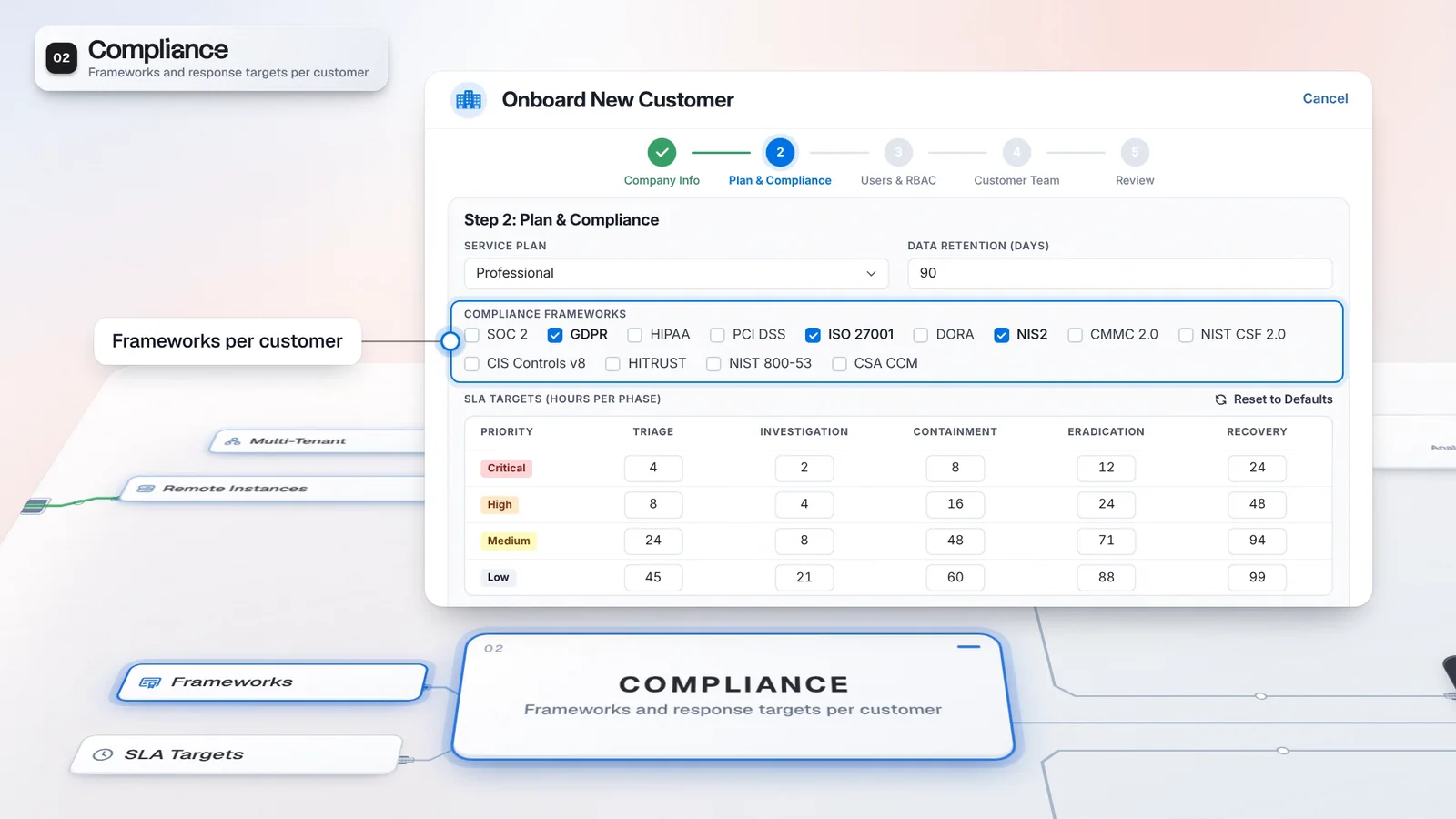
 Start with onboarding


Evidence beside the verdict
Read the reason, entities and available references before acting on an escalation.
Virtus Triage gives every alert your rules route to it a verdict, with the confidence and evidence behind it, inside the customer's tenant. Your rule decides what happens next, and Virtus Cerebrum resolves eligible familiar alerts locally without another language-model call.
 Microsoft Sentinel / Harbor RetailMicrosoft Sentinel / Juniper
Critical severity escalates by default. Filters and actions are settings on the rule.
Policy gates and context contribute to a verdict. Configured actions determine the next step.
The rule selects Create Case + Trigger Pilot.
Eligible local resolution avoids another LLM call. Uncertain alerts continue to Virtus Triage.
Alerts retain their customer context. A configured rule routes the selected Northstar alert to Virtus Triage.
Enrichment and policy gates precede the context and decision stages. The model does not choose the rule’s next action.
An illustrative escalation shows its confidence against the configured threshold, with supporting evidence.
Cerebrum learns from each tenant’s recorded outcomes. An eligible familiar Juniper alert resolves locally; uncertain alerts continue to Triage.
A raw alert asks an analyst to gather context before deciding what it means. Virtus Triage brings a verdict and its evidence together, so the analyst can check the decision and handle the work that needs judgment.
Virtus Triage returns Close, Escalate or Needs Human. Your rule chooses what happens next and can carry its own confidence thresholds, severity filter and sources. A model-proposed close must pass the applicable safety checks; uncertain results go to a person. Analysts can replace a verdict with a written reason, keeping the correction available for review and later context. An escalation can create a case and start Virtus Pilot when that action is configured.
Triage runs the same way for every customer, on each customer's own thresholds.
Microsoft SentinelThresholds shown are product defaults; the customer rule and its sources are illustrative.
Read the reason, entities and available references before acting on an escalation.
Choose filters, thresholds and the next action on the rule that routes the work.
Configure the path before sending customer alerts through it. Triage supplies the decision; your rule supplies the action, and Cerebrum adds local learning when its model and operating mode are configured.
Route selected alerts to a Virtus Triage node with the customer’s filters and thresholds.
Review the verdict, confidence and available evidence before accepting or overriding the decision.
Validate a tenant model and have an operator activate it before using its scores.
Review local resolution and the alerts that continue to Virtus Triage.
AI capabilities run where licensed. Cerebrum defaults to Off; local closure requires configured automation and evidence checks.
A triage escalation can create a case and launch investigation when the rule includes that action. Cerebrum complements Triage by learning from recorded outcomes and resolving eligible familiar alerts locally.
Discuss a license covering AI and provider operations.
The AI capability belongs to this tier.
Includes the Autonomous SOC capabilities.
Analysts open a verdict with the work attached instead of a raw alert. Eligible repeat noise resolves locally, so familiar alerts do not cost another language-model call as you add customers.
The analyst opens a verdict with supporting work attached.
Your thresholds and configured actions bound the next step.
Each tenant’s model learns from its recorded analyst and Triage outcomes.
Start with a supported source and a narrow alert selection.
Check escalations and human-review results against the evidence.
Validate and activate a Cerebrum model before configuring local resolution.
AI agents belong to the Autonomous SOC and SecOps Platform product defaults; they are not part of The Portal’s default module set. If you want AI triage alongside provider operations, discuss a license that covers both capabilities, then configure the relevant integrations and triage rules. The enabled modules on your license determine access.
Cerebrum learns from recorded analyst outcomes to build a tenant-specific false-positive scoring model. Depending on its operating mode, scores can be shown to analysts or contribute to case prioritization. It complements Triage and investigation workflows; separately configured automation can close eligible false positives.
Cerebrum trains a tenant-specific model on that tenant’s history inside the deployment. Sharing is a separate setting: Cloud Sync can send a model package with training samples to Imperum’s support service. Review sharing and export settings before deciding what may leave the environment.
Have any other questions? Talk to our team
Review a customer’s alert sources, triage rules and AI licensing with the Imperum team.