
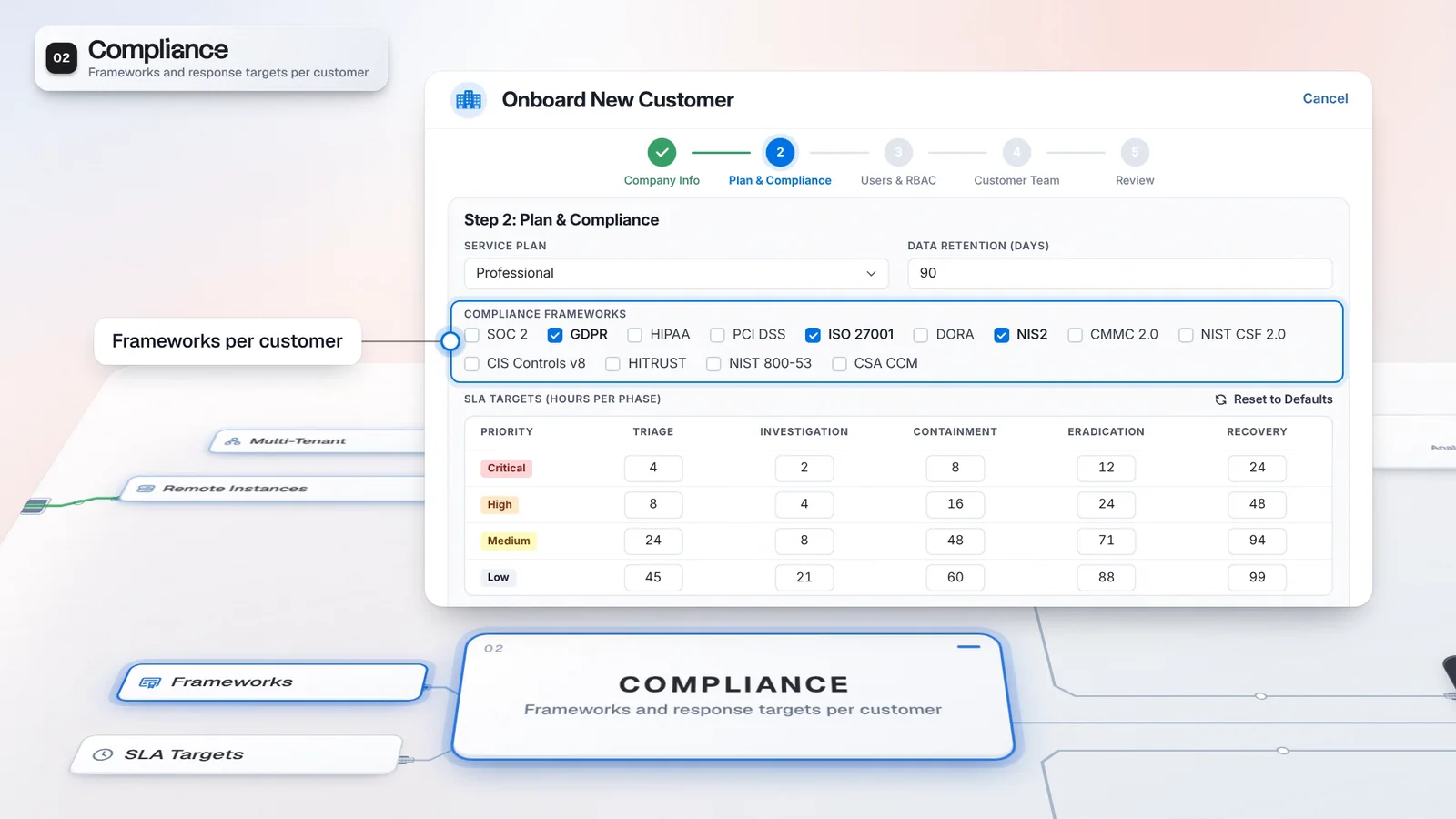
 Start with onboarding


Retain the customer stack
Use supported integrations to bring the tools you already run into customer workflows.
Keep the SIEM, EDR and SOAR your service already runs. The Portal adds multi-tenant management, case prioritization and analyst routing, alongside core alerts and case work. Your team can find the customer behind the work and choose who takes it next.
AI agents and playbook automation are outside this edition’s defaults.
Core alerts and case work follow the user’s permissions.
Core alerts and case work remain available. Access follows the license and permissions.


Tenant Profiles hold separate endpoints and credentials. Configure and test each connection.

Recommend leaves assignment to a person. Routing defaults to Off.
The Portal defaults include Multi-Tenant, Case Prioritizer and Case Router, alongside the core workspace.
Analysts use Alerts and Cases. Case Router has its own sidebar entry on The Portal.
Connect supported tools in Marketplace. Tenant Profiles give customers separate endpoints and credentials.
Review the case priority and a routing recommendation. Routing defaults to Off; Recommend leaves assignment to a person.
Coordinate customer work without replacing the tools that supply it. The Portal is a distinct edition for providers that already run their security stack.
The Portal combines Multi-Tenant with Case Prioritizer and Case Router. Analysts work in the core workspace, with Alerts and Casebook available alongside Notifications and the Approval Center. The MSSP Unified Dashboard brings customer health and open work into a provider view. Tenant Architecture holds the teams, connectors and service settings for the selected customer. Supported integrations connect the tools you retain; their configuration and permissions determine the data and actions available.
Add the provider layer without replacing the stack your customers already paid for.
Edition defaults shown. Your issued license determines enabled modules.
Use supported integrations to bring the tools you already run into customer workflows.
Choose The Portal when coordination is the capability your existing stack needs.
Start with the licensed modules, then configure the customer context. Bring in supported tools before using the case and routing workflows.
Confirm The Portal edition and its enabled modules.
Enable multi-tenant mode and organize customers in the hierarchy.
Configure a Tenant Profile for each customer connection and review the connection test.
Review the priority and routing mode before deciding who takes the work.
Integration depends on supported connectors, customer configuration and permissions. Routing defaults to Off.
The Portal coordinates provider work on an existing stack. SecOps Platform adds the AI and operational modules when your service needs a broader estate.
This edition: the provider layer for your own stack.
The AI tier: native agents and investigation pipelines.
The full estate: Autonomous SOC plus operational modules.
Customer oversight and case coordination share the same provider layer. The selected tenant stays in view while the team works the case and considers its next owner.
Use tenant health and open work to decide which customer needs attention.
Review routing recommendations against analyst skills and workload.
Configure supported connections instead of replacing the stack to coordinate cases.
Map its existing tools to supported connectors.
Check the priority signals and leave routing in the intended mode.
Agree the enabled modules and capacity in your proposal.
Imperum can work alongside an existing SIEM or EDR through configured integrations. Those connections can supply alerts and make supported actions available to investigations and playbooks. Coverage depends on the connector, credentials and configuration, so validate the tools and workflows you want to retain.
The Portal is a product edition whose default modules include multi-tenant operations, Case Router and Case Prioritizer. The self-service customer portal is a separate feature for submitting requests and following permitted cases. Distinguish the edition you license from the customer-facing access and workflows you configure.
The Portal defaults include Multi-Tenant, Case Prioritizer and Case Router, alongside core alerts and case work. AI agents, Agent Studio, playbook automation, detections and endpoint collection are outside its default module set. Additional module access can vary by agreement.
Have any other questions? Talk to our team
Review The Portal against the tools and case workflow your service already runs.