
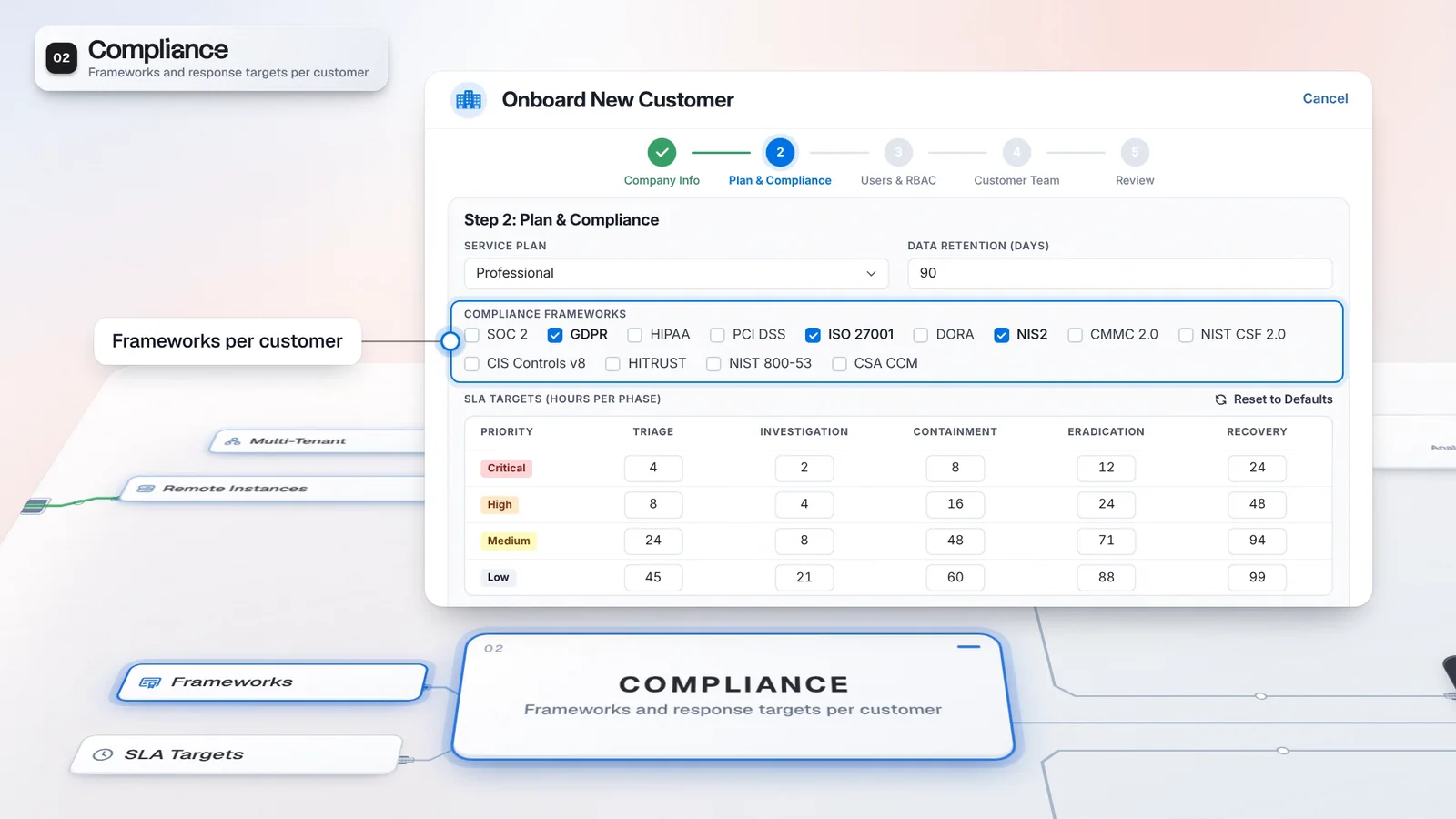
 Start with onboarding


Decisions retain context
Review the evidence and closure reason together on the closed case.
Bring case records and framework-specific reports into the customer review, alongside audit exports with the actor and before-and-after values. Your team can explain recorded decisions from the investigation and supply records for review, with framework mappings kept distinct from any claim of certification.
 A. Rivera
Reviewed activity resolved.
Assess the records against the customer request.
Mapped to 37 security and compliance frameworks.
Actor, timestamp and action type, with before-and-after values.
A. Rivera / 09:10Case updated: Investigation to Containment M. Kaya / 10:25Case updated: Containment to RecoveryA. Rivera / 11:00Case updated: Recovery to Closed
Review the selected period and customer before exporting.
Illustrative grouping of separately selected records.
Review the closed case with its evidence, timeline, disposition and closure reason.
Use the Compliance template to organize records for review. The sections shown are illustrative.
Review actor, timestamp and before-and-after values for the selected customer scope, then export CSV or JSON.
Bring the case record, generated report and audit export together for review.
Use the investigation record to explain what happened and the audit log to review recorded actions. Framework-specific reports organize evidence for the review; the reviewer still needs to assess what those records demonstrate.
A closed case can retain the evidence and timeline your team used, with its disposition and closure reason. Reports organize records into a review format, while an audit export adds the actor and before-and-after values for recorded actions. Select the customer scope and review the output against the request before handing it over, so the customer receives relevant records with the context to assess them. Keep the closure reason with the evidence it explains when reviewing the case with your team.
An audit request becomes an export, not a reconstruction.
Illustrative customer and values. Not customer performance data.
Review the evidence and closure reason together on the closed case.
Export the audit log as CSV or JSON for the review.
Start with the customer request and identify the records that answer it. Review the case, generate the relevant report and export the matching audit events, then check the pack before sharing.
Review the closed case evidence, timeline, disposition and closure reason.
Choose a framework-specific template to organize evidence for the compliance review.
Review Events for the permitted customer scope and selected period, then export CSV or JSON.
Check the generated report in History alongside the records you have selected.
Imperum is mapped to 37 security and compliance frameworks. These are mappings in the product, not certifications Imperum holds. A report or audit export supplies records for your review.
Casebook preserves the investigation context. Core Reports organizes records for review, and the Audit Log records actions with their actors and values. Use those sources together when preparing the customer pack.
Casebook and Reports belong to the core workspace. Audit access follows permissions.
Prepare the customer review from the records your team works with. Keep the scope visible and the decision attached to its evidence, so the discussion can focus on what the records establish.
Start with retained case evidence and its recorded closure reason.
Audit entries carry an actor, timestamp and before-and-after values.
Review the report and audit export against the customer request before sharing.
Agree which customer period and decisions the review covers.
Review the case, generate the report and export relevant audit events.
Confirm scope and context, then identify any evidence the reviewer still needs.
Framework-specific report templates organize evidence for a compliance review. Audit entries export as CSV or JSON, and a closed case can retain its evidence, timeline, disposition and closure reason. A report or audit export supplies records for your review.
Imperum is mapped to 37 security and compliance frameworks. These are mappings in the product, not certifications Imperum holds. Reports organize records for review; the reviewer assesses what those records demonstrate.
The Audit Log records user actions, API calls and system events with the actor, timestamp, action type and before-and-after values. Review the permitted scope and selected period before exporting records as CSV or JSON.
Have any other questions? Talk to our team
Walk through case evidence, report templates and audit exports with the Imperum team.