
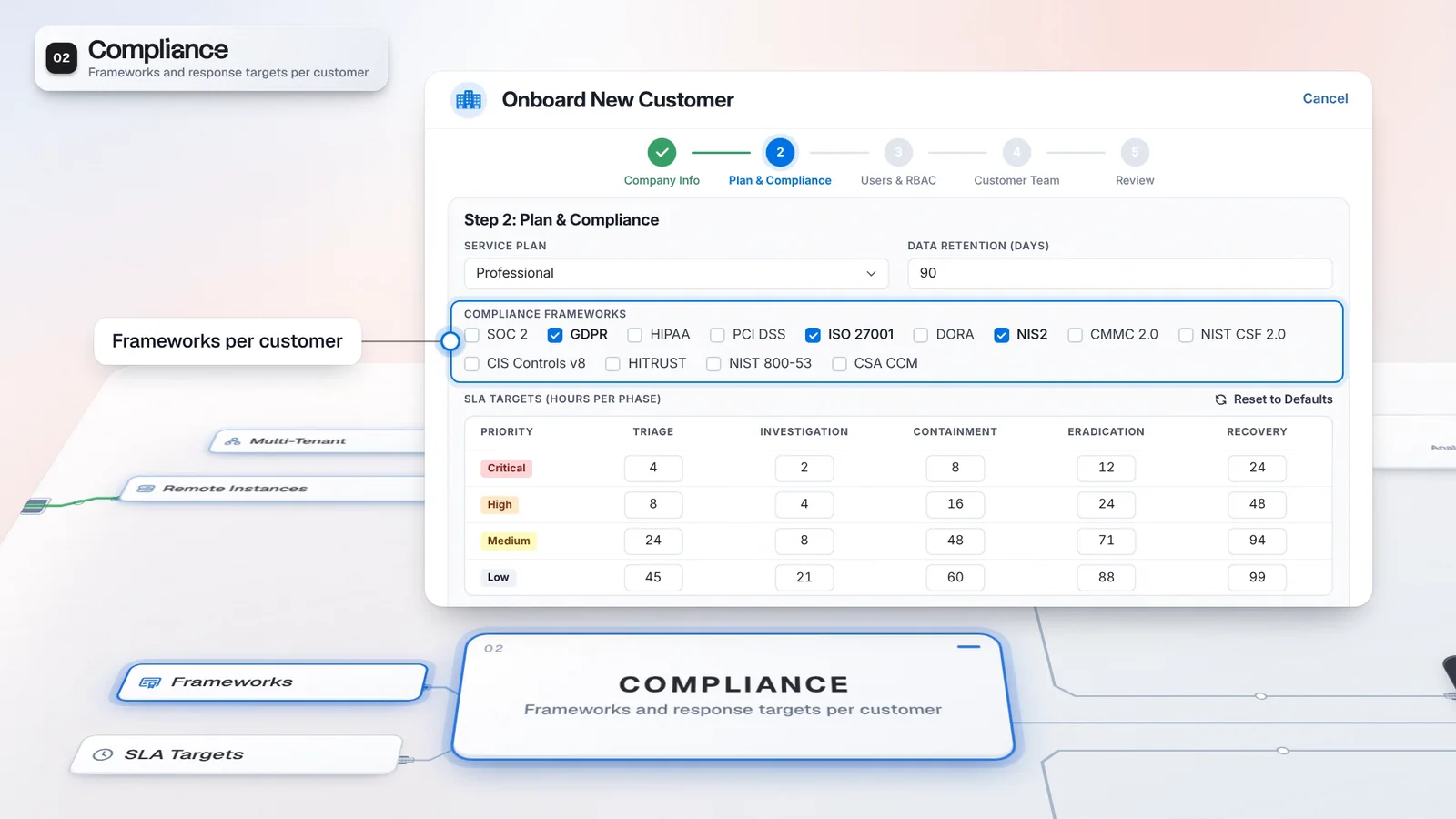
 Start with onboarding


A reason to investigate
Rule health and available verdicts help the team choose where to look.
Virtus Optimus maintains detection rules across connected security tools. Give your detection engineers evidence of noisy or silent rules, trace stopped ingestion and build missing coverage with changes they can test and review; Optimus requires its own license entitlement.
 Microsoft Sentinel
Silence is a reason to investigate, not proof of a broken rule.
Noise findings depend on available analyst verdicts and rule matching.
A valid rule needs the data it is written to detect.
The explanation follows the recorded facts. Missing evidence calls for a diagnostic step.
Microsoft SentinelThe schema names are illustrative. Authoring is grounded in the connected technology’s data.
Microsoft SentinelAutopilot applies eligible low-risk fixes for opted-in technologies, allowed fix types and passed simulations.
Watch shows rule health and coverage for connected technologies. Inspect a separate customer view for each tenant.
Broken Pipe brings evidence of stopped ingestion into view. A silent rule by itself does not prove broken detection logic.
Optimus Architect grounds a proposed detection in a connected technology’s available schema.
The manual path separates simulation, approval and application. Autopilot and Library auto-deploy are separate opt-ins.
A quiet rule can mean several things. Watch helps the team examine rule health and coverage; Broken Pipe brings data-feed evidence into the same maintenance workflow, so the next step follows the observed issue.
Watch brings rule health and MITRE ATT&CK coverage together across connected technologies. Available analyst verdicts help identify noise, while Broken Pipe flags stopped ingestion or parser drift and can add an AI explanation grounded in the evidence. Silence calls for investigation rather than proving that the rule is broken. Your engineers can trace the data before changing detection logic.
Detection quality becomes a service you can show, with evidence per customer.
Illustrative setup and values, not customer results.
Rule health and available verdicts help the team choose where to look.
Inspect stopped ingestion and parser drift before proposing a change.
Connect a supported technology with the access your workflow needs. Import its rules and harvest its schema, then work from observed health findings or a coverage gap to a reviewable change.
Review rule health and MITRE ATT&CK coverage across connected technologies.
Inspect the evidence behind stopped ingestion or parser drift.
Ask Optimus Architect for a detection grounded in available tables and fields.
Find community content, convert for the target and review the translation.
Check technology opt-ins and permissions before applying eligible changes.
Autopilot applies eligible low-risk fixes only for opted-in technologies, allowed fix types and passed simulations. Library auto-deploy is a separate per-technology setting.
Optimus has its own license and can operate separately from Cerebrum. When matched Cerebrum rule statistics are available, they add noisy-rule evidence; Detection Lake provides a separate workflow for local detections.
Virtus Optimus requires its own license entitlement.
Find noisy, silent and broken rules across the customer stacks you connect, with the evidence behind each finding. Stopped ingestion surfaces as a finding instead of a surprise, and each fix follows the review path or the opt-in automation you set per technology.
Start from community rules or existing coverage before authoring a detection.
Review the simulation and the target’s supported operations before application.
Use rule and feed evidence to describe the issue your team investigated.
Confirm the Optimus entitlement and required connector access.
Harvest the schema and review rule health and feed evidence.
Check simulation results and target behavior before applying a change.
Virtus Optimus is licensed on its own, outside the Autonomous SOC and SecOps Platform tiers. It requires its own license entitlement and the relevant permissions; a provider edition does not make Optimus part of its defaults.
Connect a supported technology with the relevant access, import its rules and harvest its schema. AI authoring and explanations need a configured model provider. Test, create, update and rollback capabilities vary by target, so check the operations your workflow needs.
Have any other questions? Talk to our team
Review a customer’s connected technology and detection maintenance workflow with the Imperum team.