
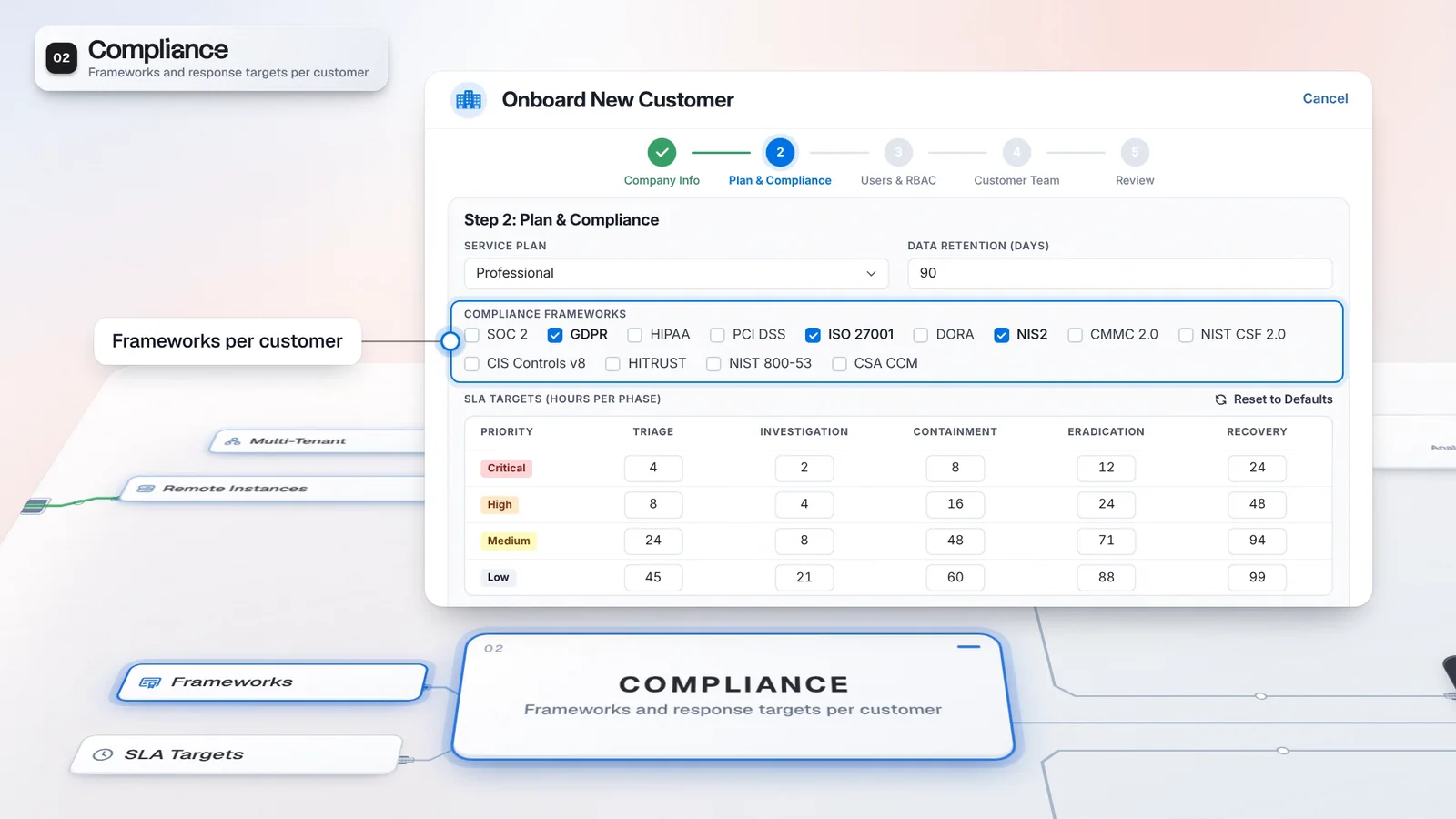
 Start with onboarding


A repeatable investigation path
Pilot gathers context and builds a plan through the same named phases.
Virtus Pilot investigates customer cases through eight phases and hands your analyst findings, an action plan and an investigation report. Gated actions wait in the Approval Center, and Automatio turns your response procedure into a repeatable playbook where licensed.
A configured Triage escalation starts this investigation.
Execute sends gated actions for approval. A pending action does not mean the report must pause.
Approval and rejection need permission and are recorded in the audit log.
 A. RiveraA. Rivera
Pilot does not close the case. Inspect the action outcomes as well as the report.
A configured escalation launches Pilot for Northstar. This example uses Guided mode.
Intake through Report uses the product’s eight phases. Guided mode sends planned actions for approval.
An authorized analyst reviews the pending isolation and its hypothesis in the Approval Center.
The IR Report and recorded action outcomes show what happened. Pilot does not close the case.
Investigation work can begin from a configured Triage escalation, a case rule or a playbook. Your team sets how far Pilot may act and reviews the findings before deciding on gated actions.
Autonomous mode runs actions within the configured risk line and approval list. Guided mode sends planned actions for approval; audit mode skips execution. The setting belongs to the rule or playbook step that starts the investigation, so your procedures can apply different controls. The resulting report gives the analyst findings to inspect, with executed, pending and failed actions distinguishable in the result.
Each routed case follows the same investigation path, and your team keeps the execution controls.
Illustrative setup and values, not customer results.
Pilot gathers context and builds a plan through the same named phases.
Review gated actions in the Approval Center before they execute.
Use the investigation result to distinguish analysis from execution. A report can be available while actions still need approval; inspect the recorded outcomes before treating the response as complete.
Configure whether an escalation creates a case and starts Pilot.
Open the investigation to review findings and its IR Report.
Review the Virtus Pilot pending actions and the Investigation Plan & Hypothesis.
Where licensed, put a Human Approval step before a response action that needs a decision.
Pilot never closes a case. Automatio belongs to SecOps Platform; playbook approval gates are explicit workflow choices, and Human Approval defaults to rejection on timeout.
Pilot supplies an investigation plan; Automatio defines a repeatable procedure around it. Casebook holds the customer’s evidence and ownership, so the analyst can continue the work after reviewing the run.
Discuss a license covering AI and provider operations.
Virtus Pilot is included; Automatio needs SecOps Platform.
Includes Virtus Pilot and Automatio.
Cases routed to Virtus Pilot follow the same eight phases and end in an investigation report your analysts can review. Your team starts from findings and a plan instead of gathering context, and decides on the actions that need a person.
Analysts review the findings and plan produced by the run.
Modes, risk settings and approval lists control planned actions.
Use the investigation report and action results to explain the work.
Choose an escalation or case rule for the customer.
Review the mode, approval list and connector permissions.
Check the report and pending actions before expanding use.
Yes. An authorized operator can deploy an enabled, validated playbook to selected tenants. Deployment creates a tenant-specific copy and records its relationship to the source.
A deployment can be removed from one tenant without removing the source playbook or another tenant’s copy. Check each tenant’s connector setup, permissions and approval configuration before putting the workflow into use.
Isolation is on the default approval-required list, and automatic approval defaults to low risk. Both the risk threshold and approval list matter in Autonomous mode. Guided mode queues planned actions for approval; audit mode skips execution. Review the effective configuration and connected action before enabling automatic containment.
Have any other questions? Talk to our team
Walk through a customer case and its approval controls with the Imperum team.